Apple Rolls Out iOS 27 Developer Beta 4 Featuring Siri Enhancements and AirPods Pro Control Center Updates

Apple has officially released the fourth developer beta of iOS 27, marking a significant milestone in the software’s testing cycle as the company moves toward a stable public release this autumn. Arriving just one week after the debut of the first iOS 27 public beta, this latest iteration provides developers and early adopters with a refined look at the future of the iPhone operating system. While previous betas introduced the foundational architecture for Apple’s next-generation "Apple Intelligence" suite, Beta 4 focuses on "quality of life" improvements, fine-tuning the user interface, and expanding the capabilities of Siri and peripheral device management.
The release of Developer Beta 4 follows a traditional cadence for Apple, where developer builds precede public versions to ensure that critical bugs are identified by professionals before reaching a wider consumer audience. This specific update highlights Apple’s commitment to incremental polishing, addressing lingering UI glitches and expanding the customization options for Siri’s "Expressive Voice" and Control Center functionalities.
The Evolution of the All-New Siri: Visuals and Vocal Nuance
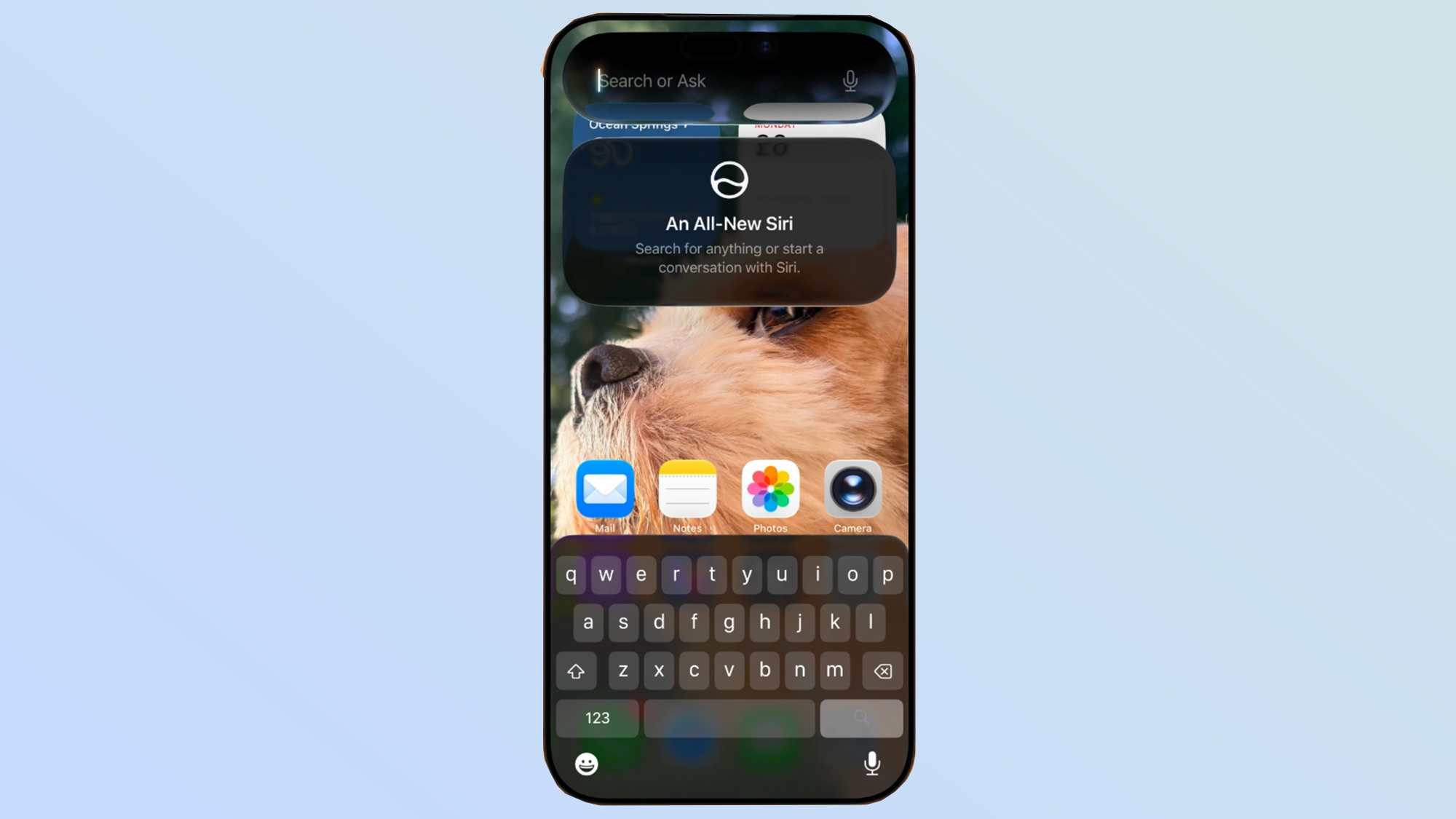
One of the most prominent changes in iOS 27 Beta 4 is the introduction of a new "splash screen" for Siri. When users summon the digital assistant from either the Home Screen or the Dynamic Island, they are now greeted with an informative overlay explaining the capabilities of the "All-New Siri." This interface serves as an onboarding tool, bridging the gap between the legacy version of Siri and the new, AI-driven assistant announced at the Worldwide Developers Conference (WWDC). The splash screen outlines how Siri now possesses better contextual awareness and the ability to handle more complex, multi-step requests.
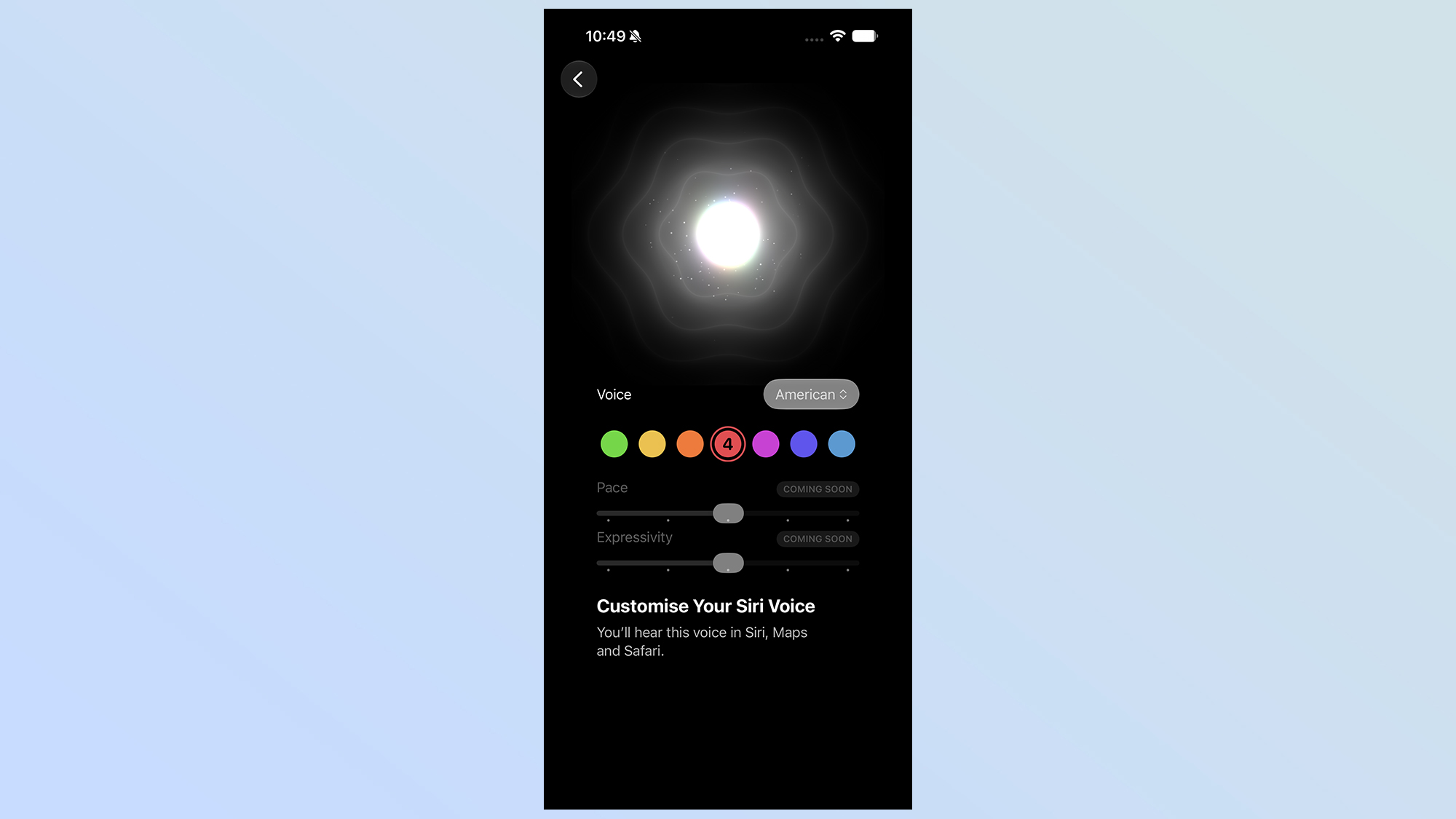
Beyond the visual interface, Apple has continued to iterate on Siri’s "Expressive Voice" feature. This technology, which aims to make the digital assistant sound more human and less robotic, was first introduced in earlier beta builds. In Beta 3, Apple added the ability for users to manually adjust the pace and emotional expressiveness of two specific American voices. Beta 4 expands this repertoire by introducing a variety of new English-language accents, including regional variations from the United Kingdom, Australia, and India. While the deep customization options—such as pace and pitch adjustment—remain exclusive to the primary American accents for now, the inclusion of broader linguistic options suggests that Apple is preparing for a global rollout of its more emotive AI voices.
Furthermore, Apple has introduced a granular setting within the Siri menu that allows users to adjust the length of text previews. Users can now choose to see anywhere from zero to five lines of a preview when Siri provides a text-based response or search result. This change is designed to cater to different user preferences regarding information density and privacy on the lock screen.
Enhancements to the Apple Ecosystem: AirPods and Apple TV Integration
The fourth developer beta brings a much-anticipated update to the Control Center, specifically for users of Apple’s premium audio hardware. The AirPods Pro adaptive mode slider, which made its debut in the third beta, is now fully integrated into the Control Center UI. This allows owners of the AirPods Pro 2, the upcoming AirPods Pro 3, and the AirPods 4 to adjust the levels of Active Noise Cancellation (ANC) and Transparency mode on a sliding scale without needing to navigate deep into the Settings app or the dedicated AirPods interface.
This level of control is indicative of Apple’s broader strategy to make the Control Center a more modular and powerful hub for device management. By providing a dedicated slider for Adaptive Audio, Apple is acknowledging that users frequently move between environments with varying noise levels—such as transitioning from a quiet office to a noisy subway—and require rapid, intuitive adjustments to their audio experience.
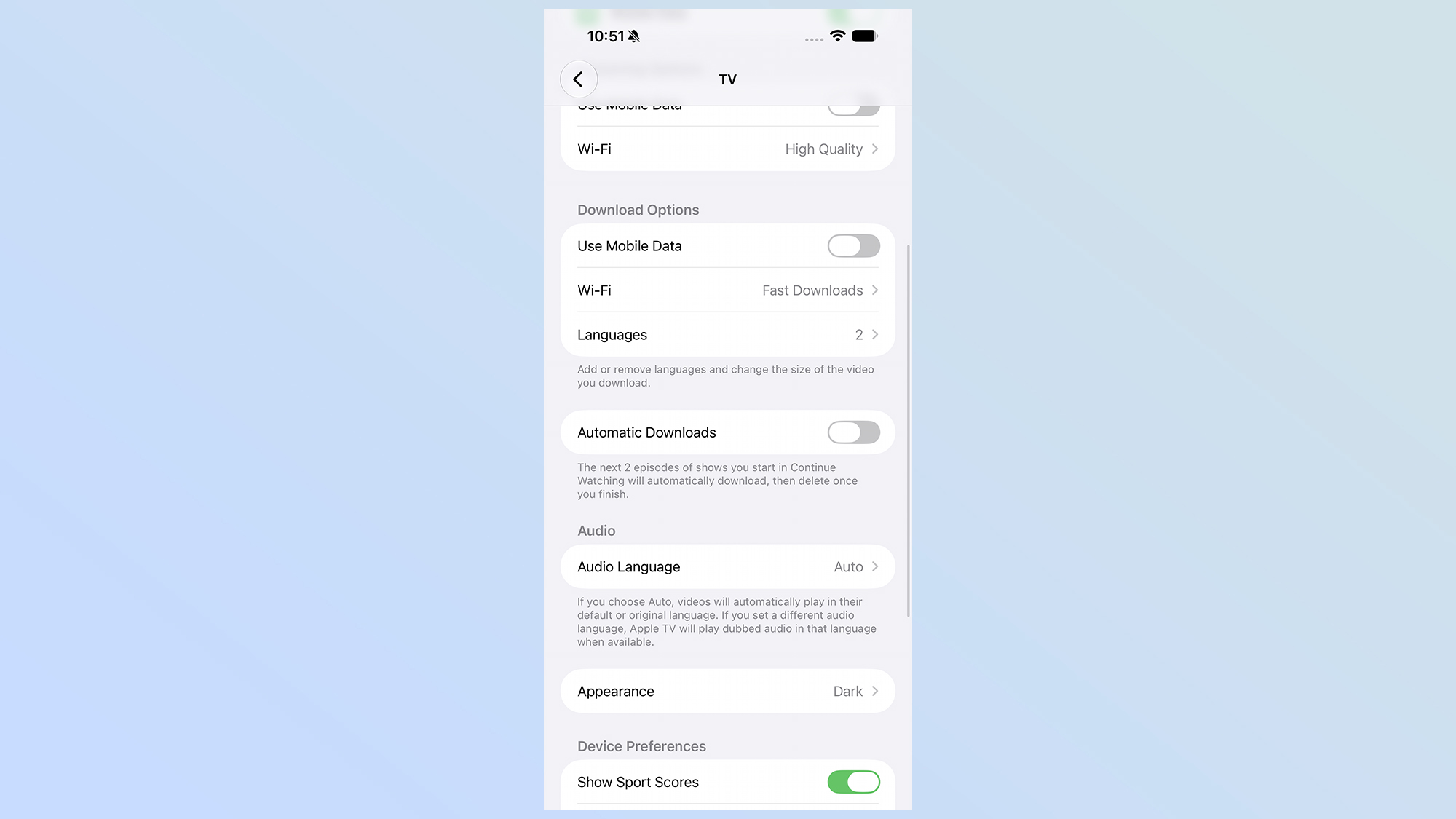
In addition to audio improvements, the Apple TV app has received a functional overhaul regarding content management. A new "Automatic Downloads" toggle has been added to the system settings (Settings > Apps > TV > Automatic Downloads). When enabled, the system will automatically download the next two episodes of any series currently listed in the user’s "Continue Watching" queue. To preserve device storage, the system is also programmed to automatically delete episodes once they have been viewed. This feature is particularly beneficial for commuters and travelers who may frequently find themselves in "dead zones" without cellular or Wi-Fi connectivity, ensuring their entertainment remains uninterrupted.
UI Refinements and Professional Photography Tools
While the major features often steal the headlines, iOS 27 Beta 4 includes several "under-the-hood" fixes that improve the daily experience of using an iPhone. A notable bug in the previous beta versions caused the "Recent Apps" menu in the pull-down search interface to appear grayed out or unresponsive; this has been fully resolved in Beta 4, restoring fluid navigation to the multitasking environment.
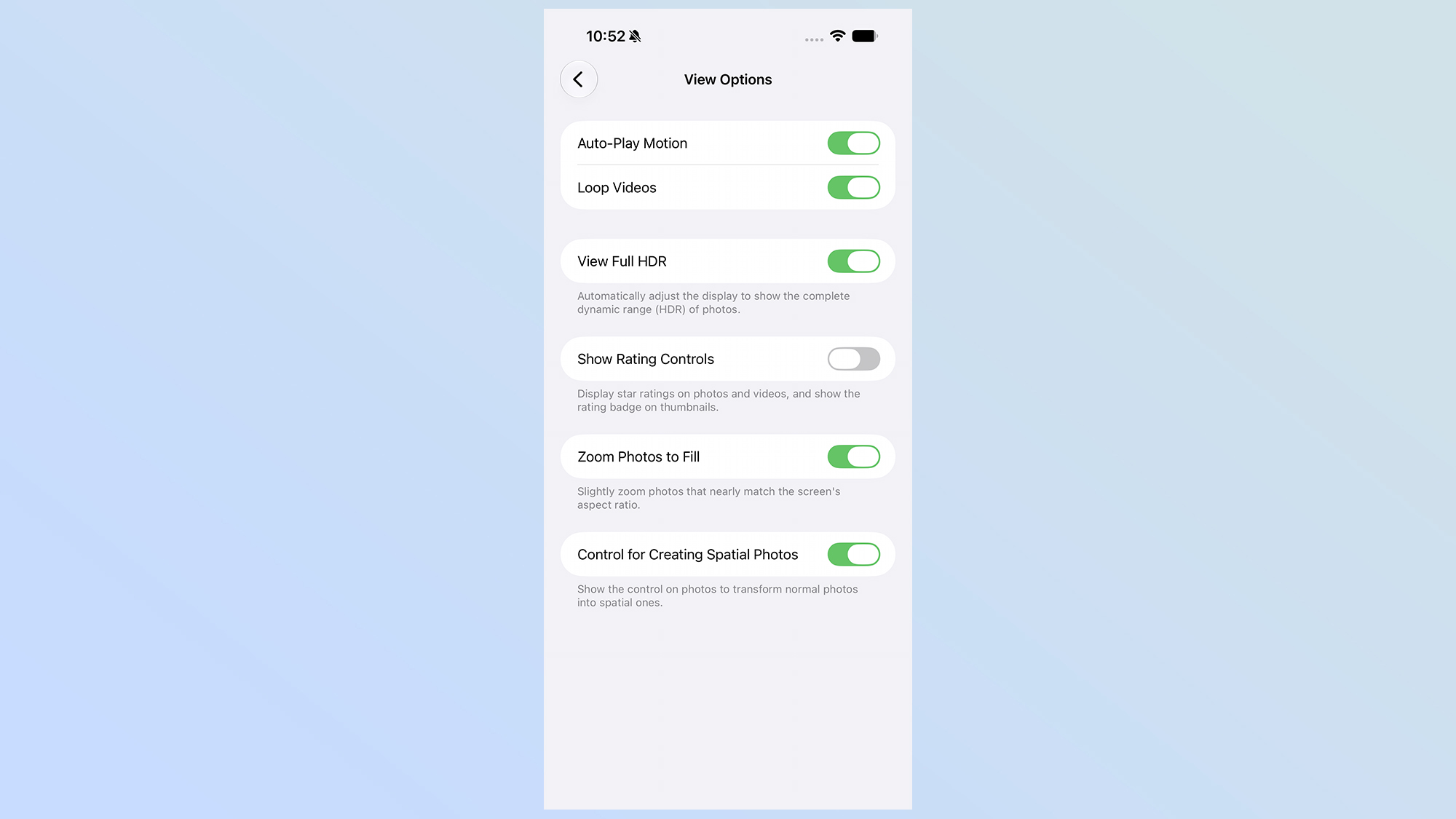
For photography enthusiasts and professionals, the Camera and Photos apps have seen subtle but important updates. A new "Zoom Photos to Fill" toggle has been integrated into the Photos app settings. This feature automatically adjusts the display of images to match the aspect ratio of the iPhone’s screen, eliminating the black bars often seen when viewing photos taken in different formats.
In the Camera app, Apple has introduced a dedicated option for the "ProRes Log" format, provided that the standard ProRes toggle is already active. ProRes Log is a professional-grade video format that preserves more detail in the highlights and shadows of a shot, allowing videographers more flexibility during the color-grading process in post-production. This addition reinforces the iPhone’s positioning as a viable tool for cinematic content creation.
Chronology of the iOS 27 Development Cycle
The journey toward the final release of iOS 27 has followed a structured timeline, beginning with the initial reveal at Apple’s annual developer conference.
- June 10: Apple officially announces iOS 27 at WWDC, highlighting "Apple Intelligence" and the redesign of the Control Center. Developer Beta 1 is released immediately following the keynote.
- Late June: Developer Beta 2 is released, introducing initial support for iPhone Mirroring on macOS and the first iteration of the SharePlay screen-sharing enhancements.
- Early July: Developer Beta 3 arrives, featuring the first version of Siri’s Expressive Voices and the initial framework for the AirPods adaptive audio slider.
- Mid-July: Apple launches the first Public Beta, allowing non-developers to test the software for the first time.
- Late July: Developer Beta 4 (the current build) is released, focusing on Siri onboarding, expanded vocal accents, Apple TV automatic downloads, and UI stability.
Industry analysts expect Apple to continue releasing bi-weekly updates throughout August, eventually moving to a weekly cadence in September as the "Golden Master" (GM) build approaches.
Supporting Data and Technical Analysis
The iterative nature of Beta 4 is supported by data suggesting that stability is currently the primary concern for Apple’s engineering teams. According to telemetry data from previous iOS cycles, the fourth beta is typically where "feature freeze" begins, meaning few entirely new features will be added from this point forward. Instead, the focus shifts to battery optimization and memory management.
Early benchmarks of iOS 27 Beta 4 suggest a slight improvement in "Springboard" responsiveness compared to Beta 3. Furthermore, the decision to automate Apple TV downloads reflects a growing trend in mobile data usage. With high-definition video files often exceeding 2GB per hour of content, automated storage management is becoming a necessity for users with 128GB or 256GB devices. By limiting the queue to two episodes and auto-deleting viewed content, Apple is balancing convenience with hardware limitations.
Broader Impact and Industry Implications
The updates found in iOS 27 Beta 4 signal a broader shift in Apple’s software philosophy. The emphasis on Siri’s "Expressive Voice" and the new onboarding splash screen suggests that Apple is preparing for a future where the digital assistant is the primary interface for the phone, rather than just a secondary utility. By making Siri sound more human and providing clear instructions on its capabilities, Apple is attempting to lower the barrier to entry for AI-driven mobile computing.
However, the removal of certain aesthetic features, such as the wallpaper preview in the Notification Center, has sparked discussion among the developer community. While some speculate it was removed to reduce system overhead and improve battery life, others believe it may have been a temporary UI element that didn’t align with Apple’s final design vision for the lock screen.
As the tech industry looks toward the expected iPhone 19 launch in September, iOS 27 Beta 4 serves as the most stable preview yet of the software that will power Apple’s next generation of hardware. For developers, the message is clear: the foundational features are set, and the remaining weeks of summer will be dedicated to ensuring that the "All-New Siri" and the expanded Apple ecosystem are ready for hundreds of millions of users worldwide.